SFM Compile Explained: What It Is, How It Works, Tools & Errors
If you have ever tried to bring a custom model, texture, animation, or other asset into Source Filmmaker, you may have come across the term SFM compile. At first, the process can seem confusing because SFM does not simply accept every file created by Blender, Maya, or another 3D application.
SFM compilation is essentially the process of preparing and converting source assets into formats that the Source engine can use. For custom models, that commonly involves exported SMD or DMX data, a QC script, materials, and Valve’s StudioMDL compiler or a tool such as Crowbar. The resulting model uses Source-compatible files such as MDL, VVD, and VTX.
It is also important to understand that compiling an asset is not the same as rendering a finished SFM scene. Compilation makes an asset usable by the engine, while rendering produces the final image sequence or video. This guide explains both concepts and shows how the pieces fit together.
What Is SFM Compile?
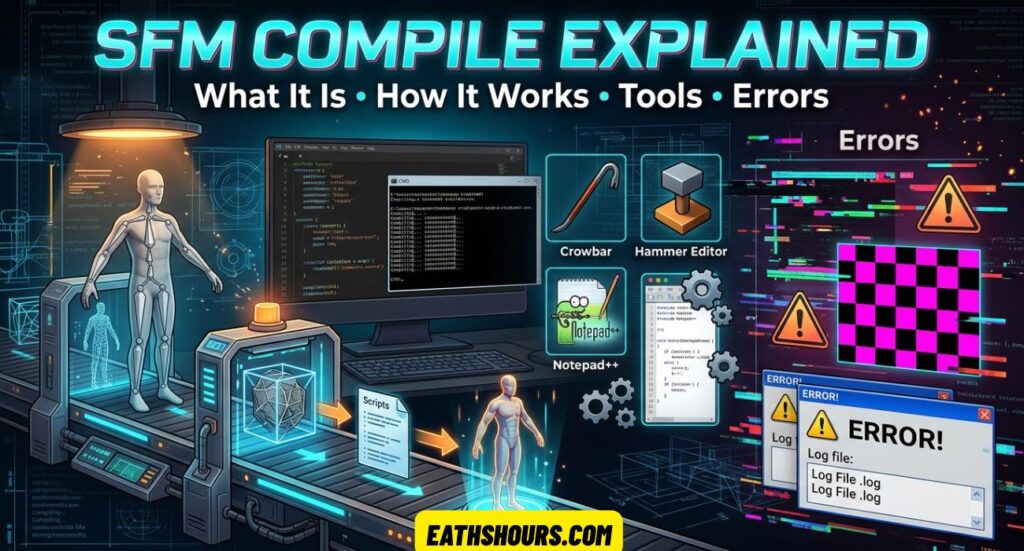
SFM compile is the process of converting and preparing custom assets so Source Filmmaker can load and use them.
For a typical custom model, the workflow looks roughly like this:
3D model → SMD/DMX → QC script → StudioMDL/Crowbar → compiled Source model → Source Filmmaker
A Blender project, for example, is not itself a native Source model. The model needs to be exported into a format supported by the Source pipeline and then processed according to instructions contained in a QC file.
A successful model compilation can produce several related files:
| File | General purpose |
|---|---|
.mdl | Main Source model file |
.vvd | Vertex and model geometry data |
.vtx | Optimized rendering/index data |
.phy | Physics or collision data when included |
.vmt | Material definition |
.vtf | Source texture file |
.qc | Compiler instruction script |
.smd | Source model or animation exchange data |
.dmx | Source data format that can carry model/animation information |
The important point is that these files do different jobs. A model can compile successfully while still showing a missing texture because the material or texture path is incorrect. Source community documentation also emphasizes that model files, VMT files, and VTF files must be placed according to the paths defined by the QC and material references.
A Simple Example
Imagine you create a custom robot in Blender.
The Blender file contains the mesh, bones, UVs, and other information. You export the necessary model data, prepare the textures, create a QC file, and run the compiler.
The compiler then creates the Source model files. You place those files in the appropriate SFM game directory and test the model inside Source Filmmaker.
If everything is configured correctly, the model can be loaded like other compatible SFM assets.
How the SFM Compile Process Works
Although individual projects differ, a typical compilation pipeline follows a predictable sequence.
1. Create or Prepare the Source Asset
The process starts with a model, prop, character, animation, or other asset.
For a model, check the geometry, UV mapping, skeleton, naming, scale, and material assignments before exporting.
A clean source asset is much easier to compile than one containing unnecessary modifiers, broken weights, duplicate materials, or inconsistent naming.
2. Export the Required Data
Depending on the workflow, model and animation information may be exported as SMD or DMX files.
The exported data needs to match the expectations of the Source tools being used.
For example, a character may require:
- A reference mesh
- A compatible skeleton
- Animation files
- A physics mesh
- Material assignments
A simple prop may require much less.
3. Prepare Textures and Materials
Source uses its own material system.
Commonly, image textures are converted to VTF, while VMT files describe how those textures should be used by the Source material system.
This separation is important. A PNG or TGA image sitting somewhere on your computer does not automatically mean that the compiled SFM model can find it.
4. Create the QC File
The QC file acts as a set of instructions for StudioMDL.
It can tell the compiler things such as:
- Where the compiled model should be saved
- Which mesh represents the body
- Where materials are located
- Which animation sequences should be included
- Whether a collision model is available
- Other model-specific compilation settings
A simplified QC structure might look like this:
$modelname "custom/example.mdl"
$body "body" "example.smd"
$cdmaterials "models/custom"
$sequence "idle" "idle.smd"
The exact commands depend on the asset. A character with facial flexes, multiple bodygroups, physics, or several animations will need a more detailed QC configuration.
5. Run the Compiler
The QC file is then processed using StudioMDL, often through a graphical utility such as Crowbar.
The compiler reads the QC instructions and the referenced source files. If everything is valid, it generates the compiled Source model files.
6. Test the Result in SFM
Compilation is not the final step.
Open Source Filmmaker and test the asset.
Check:
- Does the model appear?
- Are the textures visible?
- Are the bones working correctly?
- Do animations play correctly?
- Is the model facing the correct direction?
- Does the physics behavior work when required?
- Are there missing materials or models?
Testing catches problems that a successful compiler message alone cannot guarantee.
See Also : Tiger Woods and Harrison Ford: The Real Connection Explained
Why SFM Compile Is Important
The compilation process creates the bridge between your editable source assets and the format expected by the Source engine.
Without the correct conversion and file structure, a custom model may not appear in Source Filmmaker at all.
Compilation also gives you control over important parts of an asset, including:
- Model paths
- Material paths
- Skeleton information
- Animation sequences
- Collision information
- Model names
- Bodygroups
- Level-of-detail settings where applicable
This is why a model can look perfect in Blender and still fail inside SFM. The modeling software and Source Filmmaker do not use the same asset pipeline.
The key lesson is simple: a good-looking source file is not automatically a working Source asset.
What Can Be Compiled in Source Filmmaker?
The term “compile” can describe several parts of the Source content workflow. Models are the most common example, but other assets have their own preparation or compilation processes.
Models
Custom characters, props, weapons, creatures, furniture, vehicles, and other 3D assets can be prepared for SFM through the Source model compilation pipeline.
A model usually involves a mesh, material references, a QC script, and the necessary exported data.
Characters require additional attention because their skeleton, weights, animations, and flexes must work correctly with the intended setup.
Textures
Textures use a different part of the Source pipeline from model compilation.
Source commonly uses VTF for texture data and VMT for material definitions.
A typical relationship is:
Image → VTF → VMT → Model material
If the VMT points to the wrong VTF path, the model may appear with the familiar purple-and-black missing-texture appearance even though the model itself compiled correctly.
Animations
Animations can be exported as Source-compatible animation data and referenced by the QC file through sequence definitions.
For example:
$sequence "idle" "idle.smd" fps 30 loop
$sequence "walk" "walk.smd" fps 30 loop
The animation must use a compatible skeleton. A mismatch between the animation and model rig can lead to broken movement, missing bones, or other problems.
For many SFM projects, animators perform much of the final animation directly inside Source Filmmaker. Compiled animation sequences are especially useful when you want reusable actions or imported animation data.
Scenes and Maps
Maps follow a different Source workflow from model compilation.
Source map creation commonly involves Hammer and map compilation tools. A map source file such as VMF is processed into a BSP that the engine can load.
This means you should not treat model compile, texture conversion, map compilation, and final rendering as one identical operation.
Each has its own pipeline.
SFM Compile vs Render – What’s the Difference?
This is one of the most important distinctions for beginners.
| SFM Compile | SFM Render |
|---|---|
| Prepares assets for Source | Produces final visual output |
| Commonly used for custom models | Used for finished scenes |
| Can create MDL-related model files | Can produce image sequences or video |
| Happens before the asset is used | Happens after the scene is prepared |
| Uses Source asset tools | Uses SFM’s rendering/export workflow |
Think of it this way:
Compile = make the asset usable.
Render = turn the finished scene into the final visual result.
For example, if you create a character in Blender and want to use it in SFM, you may need to compile the character first.
After you animate that character in an SFM scene, you can render the finished sequence.
The two processes are connected, but they solve different problems. Some online discussions use “compile” loosely when referring to exporting or rendering, so checking the context is important.
Preparing Files Before an SFM Compile
Good preparation can prevent a large percentage of compilation problems.
Before running the compiler, inspect the project systematically.
Check the Model
Make sure the mesh has:
- Correct geometry
- Proper normals
- Clean UVs
- Sensible scale
- Correct transforms
- Appropriate bone weights for characters
- Useful material assignments
- No unnecessary hidden geometry
Do not wait until the compiler fails to discover basic modeling problems.
Check the Skeleton
For animated characters, verify that the exported skeleton matches the intended Source setup.
Pay particular attention to:
- Bone names
- Bone hierarchy
- Bone weights
- Reference pose
- Animation compatibility
A model can compile successfully and still behave incorrectly if the rig is poorly prepared.
Check Texture Names
Keep texture names consistent.
For example, if your VMT expects:
models/custom/robot_bodythe corresponding VTF must exist at the location expected by that material.
A successful model compile does not automatically repair an incorrect material path.
Check Folder Structure
Source Filmmaker relies heavily on predictable directory structures.
A simplified layout might look like:
game/
└── usermod/
    ├── models/
    │   └── custom/
    │       ├── robot.mdl
    │       ├── robot.vvd
    │       └── robot.dx90.vtx
    │
    └── materials/
        └── models/
            └── custom/
                ├── robot.vmt
                └── robot.vtf
The exact structure depends on your QC and material references, but the paths need to agree with one another.
Keep Paths Simple
During troubleshooting, short and uncomplicated project paths are easier to manage.
Avoid changing multiple directories at once when debugging. If something fails, you want to know which change caused the problem.
Common SFM Compile Errors and Why They Happen
Compilation errors often look more complicated than they really are.
The most useful approach is to read the compiler log instead of guessing.
Missing SMD or DMX File
Possible cause: The QC references a file that does not exist at the expected location.
Check the filename and path in the QC.
For example:
$body "body" "robot.smd"If robot.smd was renamed to robot_body.smd, the compiler cannot find the original file.
Material or Texture Not Found
Possible cause: The model compiled, but the material path is wrong.
Check the relationship between:
QC → VMT → VTF
The $cdmaterials setting affects where Source looks for model materials, while the VMT determines which texture the material uses.
A model can therefore be structurally correct while its textures are missing. Source community guidance specifically highlights the importance of matching model, VMT, and VTF paths.
Model Appears Purple and Black
This usually points toward a missing or incorrectly referenced material or texture rather than a fundamental model-geometry failure.
Check:
- Does the VMT exist?
- Does the VMT reference the correct VTF?
- Is the VTF in the expected materials directory?
- Is the material name/path consistent with the model?
- Are capitalization and folder names correct?
Model Does Not Appear
Possible causes include:
- Incorrect
$modelname - Compiled files placed in the wrong game directory
- Failed compilation
- Incorrect model path
- Missing supporting files
- SFM searching a different game folder
Start by confirming that the compiled files actually exist where the QC says they should be.
Character Has Broken Animation
Possible causes include:
- Incorrect bone names
- Wrong skeleton
- Bad weights
- Incompatible animation export
- Reference-pose problems
- Animation using a different bone structure
A compile can technically succeed even when the animation setup is not usable.
Physics Compile Problems
Physics models need special attention.
A collision mesh should generally be simpler than the visible render mesh. Complex or malformed collision geometry can create compilation or runtime problems.
If physics are unnecessary for the asset, do not add complexity without a reason.
Compiler Reports a QC Error
The QC file is plain text, so small mistakes matter.
Look for:
- Misspelled commands
- Missing quotation marks
- Incorrect paths
- Wrong filenames
- Invalid command combinations
- Incorrect braces
- Unsupported settings
When troubleshooting, fix the first meaningful error in the log before moving to later messages. Later errors may simply be consequences of the first failure.
A Practical SFM Compile Troubleshooting Checklist
When a compile fails, use this order:
| Check | What to verify |
|---|---|
| Source files | SMD/DMX files exist |
| QC file | Commands and paths are correct |
| Model path | $modelname points to the intended output |
| Materials | $cdmaterials matches the material location |
| VMT | Material file exists and is valid |
| VTF | Texture exists at the path referenced by VMT |
| Skeleton | Bones and animation data match |
| Physics | Collision model is valid if used |
| Compiler | Correct SFM/Source environment is selected |
| Output | Generated files appear in the expected folder |
| SFM test | Model loads and behaves correctly |
This approach is more reliable than repeatedly recompiling without changing anything.
Tools Used in the SFM Compile Process
Different tools handle different parts of the workflow.
StudioMDL
StudioMDL is Valve’s Source model compiler.
It processes the QC instructions and generates the compiled model data.
If you want to understand what actually performs the compilation, StudioMDL is one of the most important tools to know.
Crowbar
Crowbar is a community-developed utility commonly used for Source model workflows.
It provides a graphical interface around tasks that can otherwise involve command-line tools, making compilation and related Source model work easier to manage.
Crowbar is convenient, but it is not the only way to compile. StudioMDL can be used directly when the environment and paths are configured correctly.
Blender
Blender is commonly used to create or modify custom 3D assets.
For Source workflows, an appropriate Source export add-on can help export model information in formats used by the pipeline.
Blender itself does not replace StudioMDL. It handles the creative/modeling side, while the Source compilation tools prepare the asset for the engine.
VTFEdit
VTFEdit is commonly used in older Source workflows for converting and working with VTF textures and related material files.
Texture preparation is separate from model compilation, so understanding where the texture tools fit can save considerable troubleshooting time.
Notepad++ or Another Text Editor
QC files are text files.
You do not need a specialized 3D program to edit them. A good text editor can make QC editing easier, especially when working with multiple paths and commands.
See Also : Best Zyn Flavor Ranked: The Ultimate Guide to Taste, Strength
Common SFM Compile Outputs and File Formats
Understanding the file extensions makes the entire workflow easier to troubleshoot.
MDL
The MDL is the main compiled Source model file.
It contains important model information and works with supporting files generated by the Source model pipeline.
VVD
The VVD file stores vertex-related model data.
It is part of the group of files that work together to make a compiled Source model functional.
VTX
VTX files contain optimized rendering/index information used by the Source model system.
Depending on the Source setup, you may encounter different VTX-related files.
PHY
A PHY file is associated with physics and collision information when the model has a physics setup.
Not every model needs one.
VMT
The VMT is a Source material definition.
It tells the engine how a material should be handled and which texture information it should use.
VTF
The VTF is a Source texture format.
A VTF normally works together with a VMT. Therefore, simply converting an image into VTF is not enough if the material definition points to the wrong texture.
SMD and DMX
SMD and DMX are commonly encountered as source-side interchange formats in Source asset workflows.
They can carry model or animation information that is then referenced by the QC compilation process.
How to Make SFM Compilation More Reliable
A reliable workflow is less about finding one magic setting and more about keeping every part of the pipeline organized.
Use Consistent Naming
Choose predictable names for:
- Models
- Materials
- Textures
- Animation files
- QC scripts
- Physics meshes
Avoid renaming files halfway through the process unless you also update every reference.
Keep Source and Output Files Organized
Separate your editable files from compiled output when practical.
This makes it easier to identify which files need to be regenerated after a change.
Change One Thing at a Time
If a compile fails, do not simultaneously change the QC, folder structure, model, textures, and compiler settings.
Make one controlled change and compile again.
That makes the cause much easier to identify.
Keep the Compile Log
The compiler log is often more useful than the visible symptom in SFM.
A missing texture in SFM might look like a graphics problem, while the actual cause could be a simple incorrect material path.
Test Small Changes Early
Do not wait until a huge character with dozens of animations is finished before testing the pipeline.
Compile a basic version first.
Once the base model works, add additional features gradually.
When Do You Need to Recompile?
You do not necessarily need to rebuild every part of an asset after every change.
The answer depends on what you changed.
| Change | Recompile likely needed? |
|---|---|
| Mesh geometry changed | Yes |
| Bone structure changed | Yes |
| Model QC settings changed | Yes |
| New animation sequence added to QC | Usually yes |
| Texture image changed | Usually texture/material update rather than model recompile |
| VMT shader/property changed | Usually no model recompile |
| VTF replaced while keeping same path | Usually no model recompile |
| Final camera or lighting changed in SFM | No model compile needed |
| Final animation/render settings changed | No model compile needed |
The exact workflow can vary, but this distinction prevents unnecessary recompilation.
SFM Compile vs Source 2 Workflows
One important caveat is that original Source Filmmaker and Source 2 tools are not the same environment.
The classic SFM workflow described here is based on the Source engine and tools such as QC files and StudioMDL.
If you are working with Source 2 content, do not assume that the same model-compilation process applies.
This matters because search results can mix information about original SFM with Source 2 tools and workflows.
Before following a tutorial, verify that it is actually intended for the version of the engine and application you are using.
Frequently Asked Questions About SFM Compile
What does sfm compile mean?
SFM compile means preparing and converting custom assets into formats that Source Filmmaker can use. For models, the process commonly involves SMD or DMX files, a QC script, and StudioMDL or a related tool that generates Source model files such as MDL, VVD, and VTX.
Is sfm compile required for every project?
No. If you are using models and assets that are already compatible with Source Filmmaker, you may not need to compile anything yourself.
Compilation becomes important when you are creating, modifying, or importing assets that need to be converted into Source-compatible formats.
Is sfm compile the same as rendering?
No.
Compilation prepares an asset for use by the engine. Rendering creates the final visual output from a completed scene.
A custom model may need to be compiled before you can use it, and that finished scene can then be rendered separately.
Why does my sfm compile fail or produce errors?
Common causes include incorrect QC syntax, missing SMD or DMX files, invalid paths, material problems, incompatible animation data, or incorrect compiler settings.
The best starting point is the compiler log. Find the first meaningful error and verify the file or command it identifies.
Do I need to recompile if I change a model or texture?
If you change the actual model geometry, skeleton, or relevant QC configuration, you generally need to recompile the model.
A simple texture or VMT change often does not require rebuilding the model itself, provided the file path and material relationship remain compatible.
What tools are commonly used during sfm compile?
Common tools include StudioMDL, Crowbar, Blender, Source export tools, VTF-related utilities, and a text editor for QC files.
The exact toolset depends on the type of asset and the workflow being used.
Can sfm compile affect final output quality?
Yes, but indirectly.
Compilation determines how the asset is structured, including its geometry, materials, animations, and other engine-facing information. Poor source preparation or inappropriate settings can result in visual or technical problems inside SFM.
However, final image quality also depends on scene lighting, materials, animation, camera settings, render settings, and other factors.
Can a model compile successfully and still be broken in SFM?
Yes.
A successful compiler message only means the compilation process completed. You still need to test the resulting asset in Source Filmmaker.
Incorrect materials, missing textures, bad rigs, incompatible animations, or incorrect paths can remain after compilation.
Conclusion
SFM compile is best understood as the asset-preparation stage that connects custom 3D content with Source Filmmaker. For models, the process commonly involves source model data, a QC script, materials, textures, and a compiler such as StudioMDL or a graphical tool such as Crowbar.
The most important habit is to treat the workflow as a chain. The model, QC file, material paths, VMT files, VTF textures, animations, and compiled output all need to agree with one another.
When something goes wrong, do not immediately assume the model itself is bad. Check the compiler log, verify paths, inspect the QC file, confirm the material references, and test each part separately.
Once you understand the difference between source files, compiled assets, materials, and final rendering, SFM compilation becomes much easier to manage. You can spend less time chasing missing files and more time creating the scenes, characters, animations, and visual work you actually want to make.